Transcontinental L-3I System
During the early 1960s, AT&T built a high-capacity transcontinental cable hardened against nuclear attack. The L-3I transcontinental cable served both to add reliable capacity to AT&T's commercial network, and to provide a hardened backbone for the rapidly growing AUTOVON military telephone system.
The transcontinental L-3I cable is a multi-core coaxial cable using the L-3I or L-3 Improved carrier—a multiplexing technology that could transmit up to 9,300 simultaneous phone calls. The L-carrier technology required repeaters every four miles, located in small underground vaults below distinctive metal huts, and large underground “main stations” at least every 200 miles. The main stations were staffed by maintenance crews 24/7, and were hardened and supplied to ride out a nuclear war.
operating instructions
Various functions are available as part of the map.
mouse/touch operation
- moving by grabbing the map with a mouse-click you can move the map around
- overview map using the < button in the bottom right of the map you can expand an overview map
- zooming in and out using the + and - buttons in the top left of the map you can obtain more or less detail in the map
- switching themes or maps clicking on the ≡ icon on the right-hand side of the map you can view and select available maps and themes
- retrieving information the map may contain elements that contain more information, by clicking these a popup will show this information
- fullscreen display using the ⛶ button the map can be maximized to fullscreen display, use the ▢ button to return to page display.
keyboard operation
Keyboard operation becomes available after activating the map using the tab key (the map will show a focus indicator ring).
- moving using the arrow keys you can move the map
- overview map using the + button in the bottom right of the map you can expand an overview map
- zooming in and out using the + and - buttons in the top left of the map or by using the + and - keys you can obtain more or less detail in the map
- switching themes or maps clicking on the ≡ icon on the right-hand side of the map you can view and select available maps and themes
- retrieving information the map may contain elements that contain more information, using the i key you can activate a cursor that may be moved using the arrow keys, pressing the enter will execute an information retrieval. press the i or the escape key to return to navigation mode
- fullscreen display using the ⛶ button the map can be maximized to fullscreen display, use the ▢ button to return to page display.
It's possible that some of the functions or buttons describe above have been disabled by the page author or the administrator
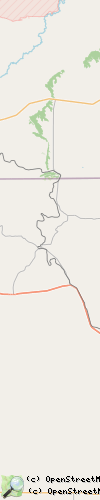
| id | symbol | latitude | longitude | description |
|---|---|---|---|---|
 |
 |
KML track: map | ||
(you can download this KML file)