Questar Mojave Radio Repeater
This appears to be a UHF point-to-point repeater, near Kelbaker road. it is mostly interesting because of its apparent 1980s vintage and early PV installation. This repeater seems to have originally been built by the Questar Pipeline Company, presumably in connection to their gas pipeline that roughly parallels I-40. The repeater connected a compressor station near Kingman, AZ, and an apparently disused station west of Kingman, to another disused station near Danby. These licenses expired in 2012, perhaps reflecting the intermediary facilities having become obsolete.
License WHC352 - Expired 2012. Covered this site for TX, 2GHz links to WHC351 (site on pipeline near “Skeleton Pass,” 34°33'30.9“N 115°20'55.9”W) and WHC353 (mountaintop radio site near Sitgreaves pass, 35°02'08.0“N 114°22'12.8”W). The mountaintop site has direct paths to several other pipeline stations. From these observations we can put together the history of this site: the Sitgreaves Pass site must be a communications hub for Questar, and most of their pipeline stations (compressors, regulators, etc) connected to that site via microwave. The site near Skeleton Pass specifically does not have line of sight to Sitgreaves Pass, due to a couple of different mountain ridges in between. This repeater station is far enough north to reach “around” the mountain ranges, and its location fairly high on the valley side means that it has a line of sight “slot” to the Skeleton Pass station. In other words, they had to add it to make the connection work.
operating instructions
Various functions are available as part of the map.
mouse/touch operation
- moving by grabbing the map with a mouse-click you can move the map around
- overview map using the < button in the bottom right of the map you can expand an overview map
- zooming in and out using the + and - buttons in the top left of the map you can obtain more or less detail in the map
- switching themes or maps clicking on the ≡ icon on the right-hand side of the map you can view and select available maps and themes
- retrieving information the map may contain elements that contain more information, by clicking these a popup will show this information
- fullscreen display using the ⛶ button the map can be maximized to fullscreen display, use the ▢ button to return to page display.
keyboard operation
Keyboard operation becomes available after activating the map using the tab key (the map will show a focus indicator ring).
- moving using the arrow keys you can move the map
- overview map using the + button in the bottom right of the map you can expand an overview map
- zooming in and out using the + and - buttons in the top left of the map or by using the + and - keys you can obtain more or less detail in the map
- switching themes or maps clicking on the ≡ icon on the right-hand side of the map you can view and select available maps and themes
- retrieving information the map may contain elements that contain more information, using the i key you can activate a cursor that may be moved using the arrow keys, pressing the enter will execute an information retrieval. press the i or the escape key to return to navigation mode
- fullscreen display using the ⛶ button the map can be maximized to fullscreen display, use the ▢ button to return to page display.
It's possible that some of the functions or buttons describe above have been disabled by the page author or the administrator
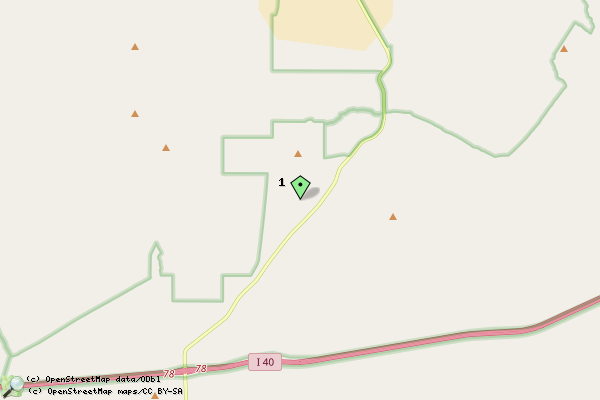
| id | symbol | latitude | longitude | description |
|---|---|---|---|---|
| 1 |  |
34.76913º | -115.638911º | Site Location |


